

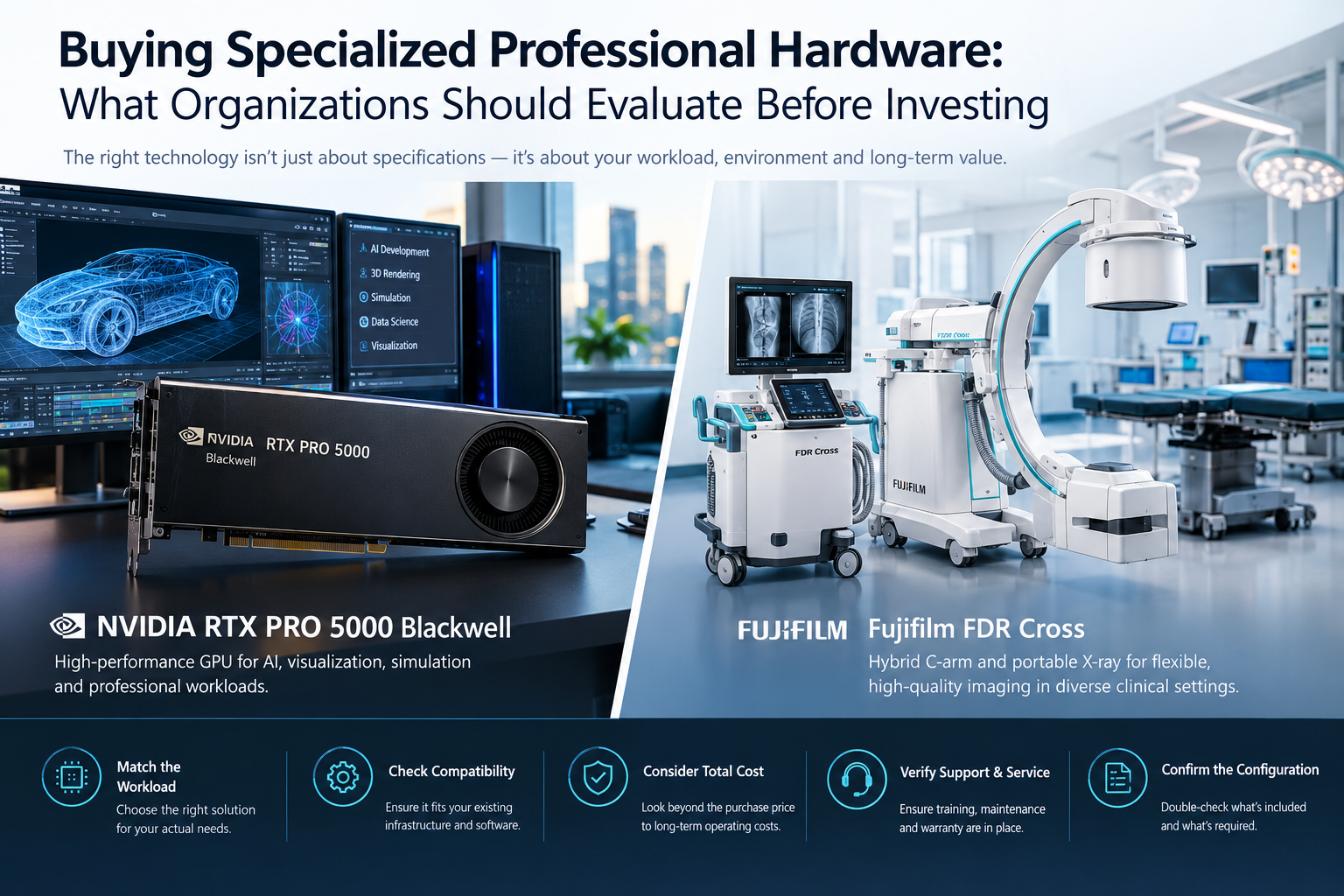
Buying specialized technology is very different from ordering ordinary office hardware. Whether an organization is evaluating an NVIDIA RTX PRO 5000 Blackwell for demanding AI and visualization workloads or a Fujifilm FDR Cross for professional medical imaging, the purchase decision should begin with the actual workload rather than the product name alone. Compatibility, configuration, software requirements, infrastructure, service availability and long-term operating costs can ultimately matter as much as headline specifications.
Table of Contents
Why Specialized Hardware Requires a Different Buying Process
Professional equipment often sits at the center of a larger operating environment. A workstation GPU interacts with processors, memory, storage, power supplies, cooling systems, operating systems and professional software. Medical imaging equipment operates within an even broader clinical ecosystem that can include detectors, displays, software, networking, regulatory requirements, accessories, training and service arrangements.
That means a product can be technically powerful while still being poorly suited to a particular organization.
A better procurement question is therefore not simply, “Which system has the strongest specifications?” It is, “Which configuration can reliably perform our workload within our existing technical, operational and financial constraints?”
This distinction is increasingly important as professional hardware becomes more specialized.
Start With the Workload, Not the Specification Sheet
Technical specifications are useful only when they are connected to a real task.
Before comparing equipment, buyers should document what the system will actually be expected to do. For an AI or professional workstation, that could include local AI development, model inference, engineering simulation, 3D visualization, rendering, video production or data-science work.
For medical imaging equipment, the requirements may instead involve surgical imaging, fluoroscopy, portable radiography, emergency workflows or movement between different clinical environments.
This workload-first approach prevents organizations from paying for capabilities they do not need while overlooking requirements that could later limit deployment.
It also makes product comparisons more meaningful. Two products in the same general category can be designed for very different workloads.
Evaluating Professional GPU Hardware
High-end professional GPUs illustrate why model-level evaluation matters.
NVIDIA positions its RTX PRO desktop platform for professional AI, graphics, simulation, engineering and scientific-computing workloads. Its Blackwell generation incorporates fifth-generation Tensor Cores, fourth-generation ray-tracing cores and GDDR7 memory across the professional product family.
For the RTX PRO 5000 Blackwell specifically, NVIDIA lists configurations with 48GB or 72GB of GDDR7 memory with ECC, four DisplayPort 2.1 connections, a maximum power consumption of 300W and a dual-slot form factor.
The 48GB configuration can therefore be relevant to organizations working with substantial AI datasets, complex visual scenes or other workloads where memory capacity becomes a practical constraint.
However, GPU memory alone should never determine the purchase.
System Compatibility Still Matters
Before deploying a professional GPU, buyers should verify several surrounding requirements:
- PCIe and motherboard compatibility
- available chassis space
- power-supply capacity
- auxiliary power requirements
- system airflow and cooling
- operating-system support
- driver compatibility
- application certification or software support
The supplier listing itself recommends verifying the exact board variant, memory configuration, dimensions, PCIe interface, power requirements, cooling and driver compatibility before ordering.
That is particularly important in enterprise procurement because hardware revisions and supplied configurations may differ.
Think About the Software Ecosystem Too
Professional hardware gains much of its practical value from the software surrounding it.
NVIDIA, for example, positions RTX PRO systems not only for graphics but also for local AI development, data science, simulation, autonomous agents and generative-AI applications. The company also provides professional drivers and enterprise-oriented software intended to support deployment across demanding workflows.
For buyers, this creates another layer of evaluation.
A powerful GPU provides little value if an organization’s primary application cannot take advantage of it. Procurement teams should therefore verify whether important software packages support the required acceleration features and whether application vendors provide appropriate certification or compatibility guidance.
For organizations building AI systems, it is also worth estimating how much of the workload will run locally and how much will ultimately move to cloud or data-center infrastructure.
The most expensive workstation configuration is not automatically the most efficient architecture.
Medical Imaging Demonstrates the Importance of Workflow Design
The same workload-first principle applies to specialized medical equipment, although the purchasing considerations are very different.
Fujifilm describes the FDR Cross as a hybrid platform that combines mobile C-arm functionality with portable digital radiography. It is intended to support both fluoroscopic and radiographic imaging through a single system.
This is significant from a procurement perspective because equipment utilization can sometimes matter more than simply acquiring another standalone device.
Instead of looking only at imaging specifications, hospitals and surgical facilities can evaluate how a system changes movement, positioning and equipment availability during actual procedures.
Cord-Free Operation Can Affect Clinical Workflow
One of the notable design characteristics of the FDR Cross is battery-powered operation.
According to Fujifilm, its onboard battery can provide up to eight hours of completely wireless operation. The design removes the need for a power connection during imaging and is intended to simplify cable management and repositioning in environments such as operating rooms, emergency departments and intensive-care settings.
This demonstrates why seemingly secondary specifications can become operationally important.
In crowded working environments, mobility, setup time and cable management may directly influence how easily equipment can be positioned and transferred between locations.
These factors should be evaluated alongside image quality and acquisition capabilities.
Detector Flexibility Is Another Procurement Consideration
The FDR Cross also uses removable FDR D-EVO III flat-panel detectors.
Fujifilm lists detector sizes of 17 × 17 inches, 14 × 17 inches and 10 × 12 inches, allowing configurations to be selected according to imaging requirements. The manufacturer also says the system can support additional wireless flat-panel detectors for portable imaging workflows.
Its largest detector provides an imaging area of up to 17 × 17 inches, and Fujifilm states that the system can provide up to twice the imaging area of standard C-arm solutions.
For a buyer, however, this should trigger further questions rather than immediately determining the purchase.
Which detector is actually included?
Which accessories are required?
Are additional panels necessary for the intended workflow?
How will the system integrate with existing imaging infrastructure?
These questions can substantially affect the real installed cost.
Integration Is Often More Important Than the Initial Purchase Price
A common procurement mistake is comparing equipment purely on acquisition price.
Professional systems should instead be evaluated according to total cost of ownership.
For computing equipment, that calculation can include:
- workstation upgrades
- power consumption
- cooling
- software licenses
- support agreements
- replacement cycles
- downtime
- IT administration
For medical equipment, the cost picture can be broader and may include installation, accessories, training, service coverage, software options, regulatory requirements and long-term maintenance.
This is particularly relevant for capital medical equipment because there may not be one meaningful universal price.
The supplier’s FDR Cross listing notes that pricing can depend on configuration, region, service scope and delivery terms and therefore recommends confirming availability and requesting a configuration-specific quotation.
Verify the Exact Configuration Before Ordering
Model names can create a false sense of certainty.
Two quotations containing the same product family name may not necessarily represent identical packages.
Before approving specialized equipment, buyers should obtain written confirmation of:
Exact model and part number: Confirm that the manufacturer identifier matches the requested equipment.
Configuration: Verify memory, detectors, software, hardware options or other configurable components.
Included accessories: Do not assume that components shown in product images are automatically included.
Compatibility: Confirm that the equipment can operate within the buyer’s existing technical environment.
Condition: When purchasing anything other than new equipment, document serial numbers, condition and service history.
Warranty and service: Establish who is responsible for technical support, repairs and warranty coverage.
Delivery requirements: Confirm freight, insurance, export documentation and destination-specific responsibilities.
For medical technology, regulatory status and local approval requirements should also be verified before an order is finalized. The supplier specifically advises buyers of the FDR Cross to confirm destination-market regulatory status, hardware and software configuration, accessories, installation requirements, service coverage and training.
Avoid Buying Technology for Future Possibilities Alone
Another common mistake is excessive future-proofing.
Organizations sometimes purchase far more capability than their present workload requires because the equipment might become useful later. Some headroom is sensible, particularly for systems expected to remain in service for several years, but unused capacity also has a cost.
A better approach is to estimate:
- today’s workload;
- expected workload growth;
- the realistic service life of the equipment;
- upgrade options;
- the cost of replacing versus over-specifying the initial system.
This provides a much stronger financial foundation than simply purchasing the highest specification available.
A Practical Procurement Checklist
Before buying specialized professional equipment, procurement teams should be able to answer several fundamental questions:
- What exact problem will this equipment solve?
- Which workload will use it most often?
- What configuration is actually required?
- Is it compatible with existing infrastructure?
- Which software, accessories or licenses are needed?
- What is included in the quotation?
- What additional installation costs should be expected?
- Who provides warranty and technical support?
- Are there regulatory or destination-specific requirements?
- What will the system cost to operate over its useful life?
- Can its capabilities realistically be utilized?
If these questions cannot be answered, the purchasing process probably needs more technical evaluation before a commitment is made.
Final Thoughts
The best professional hardware purchase is rarely the product with the longest specification sheet. It is the system whose capabilities match a clearly defined workload and whose infrastructure, software, service requirements and total cost have been properly understood.
That principle applies across very different technology categories. A professional GPU must fit the workstation, software stack and computational workload around it, while a medical imaging platform must fit the clinical environment, imaging requirements, accessories and service infrastructure surrounding it.
By evaluating the complete operating system rather than an isolated piece of hardware, organizations can make purchasing decisions that are easier to deploy, easier to support and more likely to provide useful long-term value.
