

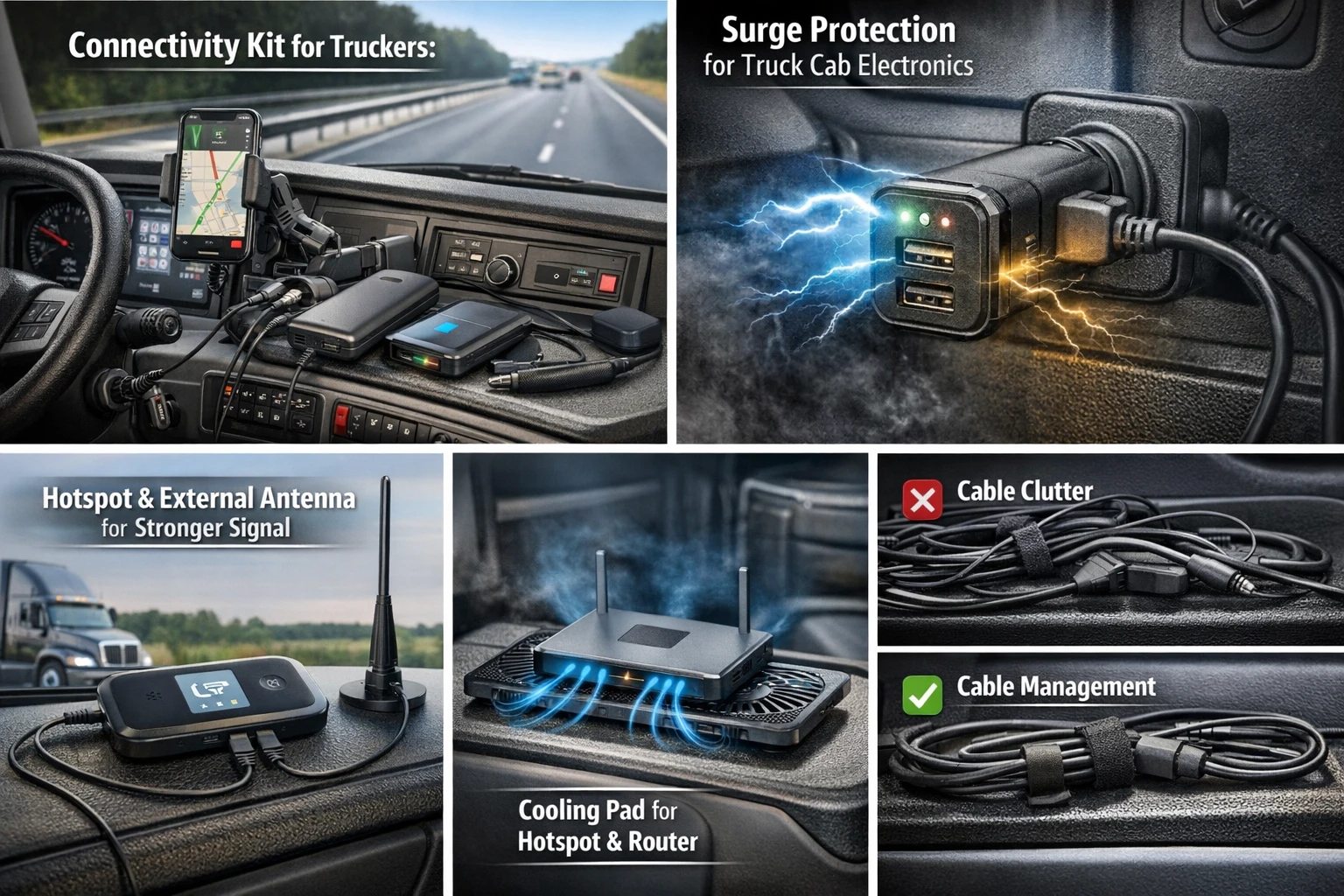
For professional truck drivers, especially those running OTR routes, reliable connectivity is no longer optional — it directly affects safety, compliance, and delivery timelines. The modern-day truckers one of the drivers no longer can do out nothing without connectivity — this is In Post. Trucks constantly sync with weight sensors, GPS, and cameras during the document upload stage, and connect to the payroll system, and lastly the driver to his family through all of these reliable parameters of the right power and stable devices available in the cab of the truck cab. Trusting reliability is not all that is needed. It is smart travel gear for truckers that best suits the cabin on long-haul trips where the environment can be extreme.
A weak phone mount, a cheap charger, or a hot-spot device heated that can interrupt navigation or disconnect a call at the worst time. During a long journey, wear and tear of small equipment can start being a risk factor in operations. This guide helps the drivers identify and get essential mounts, chargers, hotspot devices, and router accessories that together will form a connectivity kit that is not only long-lasting but also organized and efficient.
Table of Contents
The Importance of Connectivity Gear on Long Haul Routes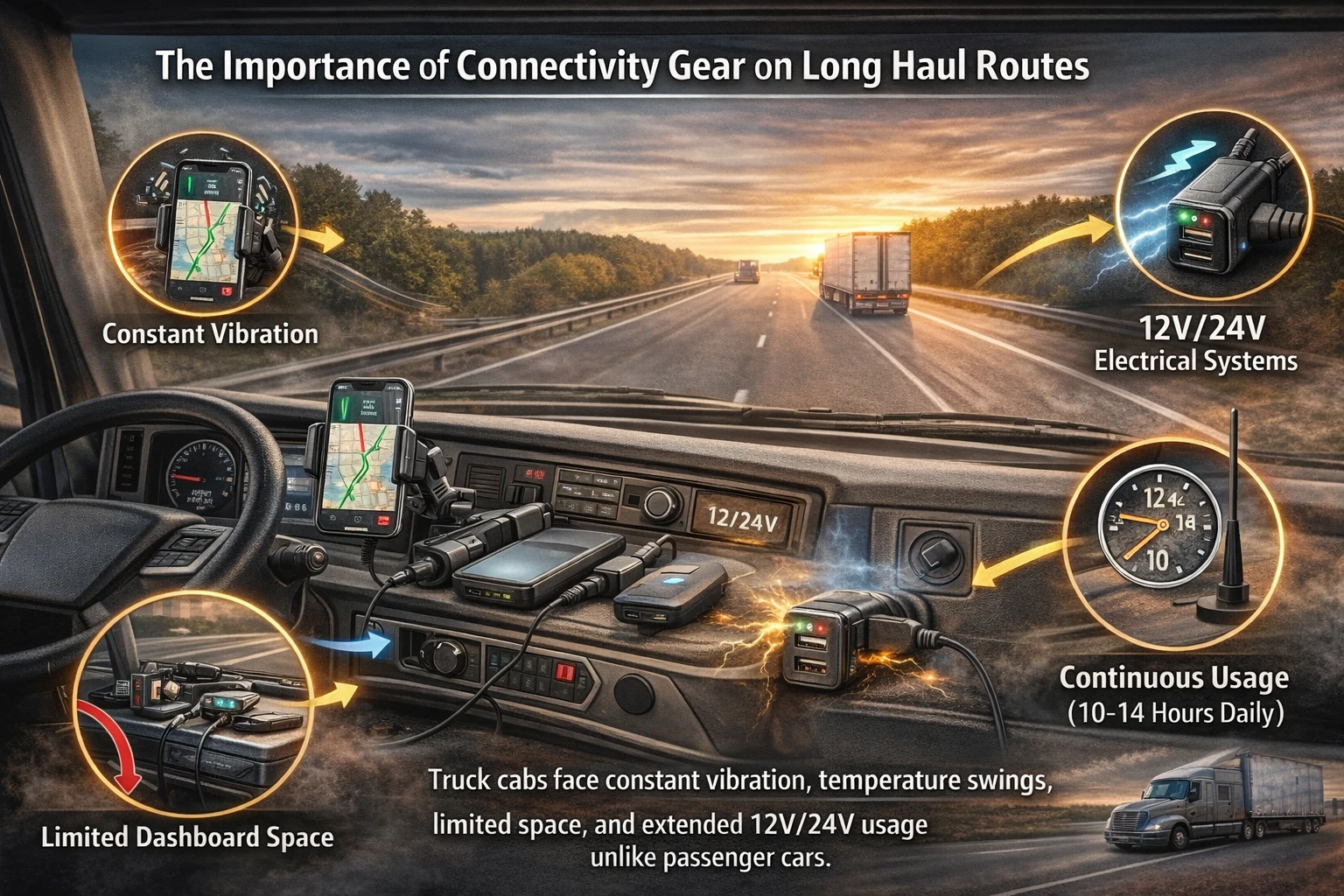
Long-haul trucking creates higher levels of stress to electronics than short-haul truck driving:
- Constant vibration
- Temperature swings
- 12V/24V electrical systems
- Limited dashboard space
- Continuous usage (10–14 hours daily)
Unlike passenger cars, the truck cab becomes a mobile office. Therefore, the device always remains powered and operational. The choice of gear must be based on protection from overload, surge, and heat, thus ensuring that the device is not damaged and that the frustration of downtime is eliminated.
Phone Mounts and Dashboard Stability
A good phone mount is probably among the least considered equipment but it is one of the most important travel accessories. Navigation apps, load tracking, and hands-free calls depend on stable positioning.
What Makes a Good Dashboard Mount?
A truck driver needs something more than a suction cup designed for car windshields. The correct dashboard mount is to have:
- Strong vibration resistance
- User changeable viewing angles
- One-hand phone locking mechanism
- Heat-resistant materials
- Compatibility with larger devices
Metal reinforcement and mechanical clamps are usually superior to simple spring clips in the long run.
Mount Types Compared
| Mount Type | Best For | Pros | Limitations |
| Windshield Suction | Quick setup | Easy install | Can detach in heat |
| Dashboard Mount | Permanent stability | Better vibration control | Requires surface prep |
| Vent Mount | Compact cabs | Easy repositioning | Blocks airflow |
| Magnetic Mount | Minimal bulk | Fast placement | Requires metal plate |
OTR drivers find dashboard-mounted systems with reinforced arms the most efficient hands-free setup.
For real-world comparison of top phone mounts designed specifically for semi trucks, check out this video review:
Top 5: Best Semi Truck Phone Holders || Liam Anderson #semitruck #phoneholder #phonemount #truck
Fast Chargers and Power Reliability
The instability of power is one of the major reasons for the failure of devices in a truck cab. Issues with voltage, inverter noise, and low-quality USB-C cables can cause slow charging or overheating.
Truck’s Fast Charger Requirements
A good fast charger is to include:
- Multi-port output (USB-A + USB-C)
- Smart power distribution
- Surge protection
- Overcurrent protection
- Heat dissipation design
Drivers running a hotspot device, tablet, and smartphone simultaneously need consistent wattage output — especially during peak usage.
12V/24V Direct Power vs. Inverter
In most cases, the best way is to directly power the devices with a 12V or 24V outlet rather than an inverter. An inverter not only causes a conversion loss but also additional heat.
| Power Method | Efficiency | Heat Output | Best Use Case |
| Direct 12V/24V | High | Low | Routers, chargers |
| Inverter (AC) | Moderate | Higher | Laptops, specialty devices |
The presumption of power derived from the use of inverters is avoided with the use of direct powering which results in longer battery life and less heat from the truck cab.
USB-C Cables: Small Gear, Big Impact
Cheap cables fail fast under constant movement. Durable USB-C cables designed for truck driving should feature:
- Reinforced connectors
- Braided exterior
- Strain relief design
- 100W power support (if using high-wattage devices)
Cable length also matters. Overly long cables create clutter, while short cables may strain connectors.
Power Banks for Backup Connectivity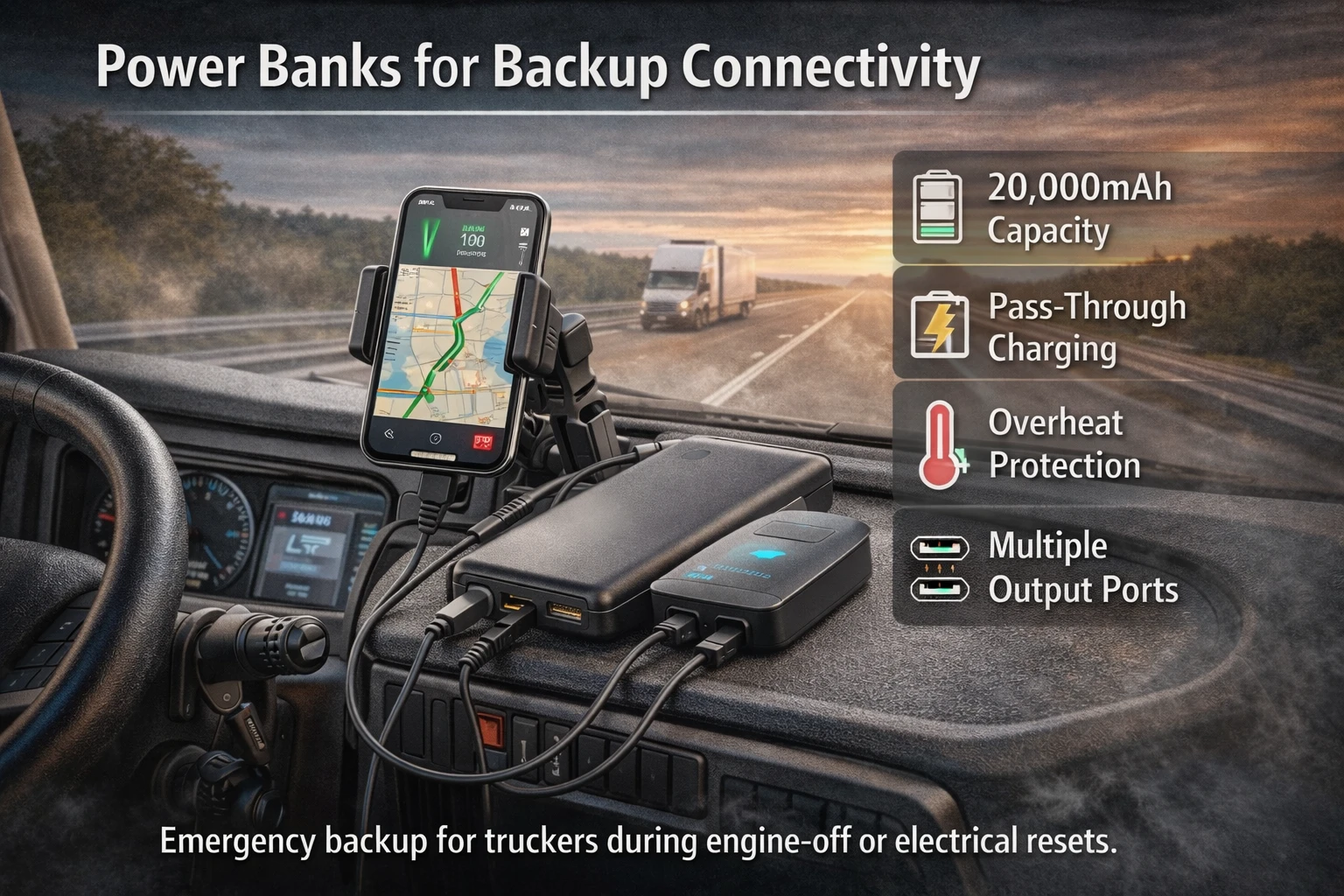
A power bank is not just for convenience — it acts as emergency backup during engine-off periods or electrical resets.
An effective power bank for truckers should have:
- 20,000mAh capacity
- Pass-through charging capability
- Overheat protection
- Multiple output ports
This ensures continued access to navigation or communication during unexpected downtime.
Hotspot Devices & Router Accessories
A dedicated hotspot device or in-cab router forms the core of a driver’s connectivity kit. While smartphones can tether, standalone devices offer stronger signal handling and better bandwidth control.
Reasons to Use a Hotspot Device
- The improved performance of the network signal
- The better and more efficient use of the antenna
- The independent data plan arrangements
- Less drain on the phone battery
- The use of several devices
Drivers who regularly cross state lines benefit from dual-SIM or eSIM router configurations.
Router Accessories that Increase Stability
| Accessory | Function | Benefit |
| External Antenna | Enhances signal | Better rural coverage |
| Antenna Extension Cables | Flexible placement | Improved mounting options |
| Cooling Pads | Heat control | Prevent throttling |
| Mount Brackets | Secure router placement | Reduced vibration damage |
The paired design with a high-quality hotspot device and the right mounting is a guarantee of high performance for the long term.
Cable Management: Preventing Chaos in the Cab
Loose cables are not just a problem of aesthetics. They also cause:
- Accidental unplugging
- Wear and tear
- Driver distraction
- Airflow obstruction
Good cable management includes:
- Velcro straps
- Adhesive cable clips
- Under-dash routing
- Shortened cable runs
An organized cab improves safety and reduces troubleshooting time.
Device Cooling and Heat Control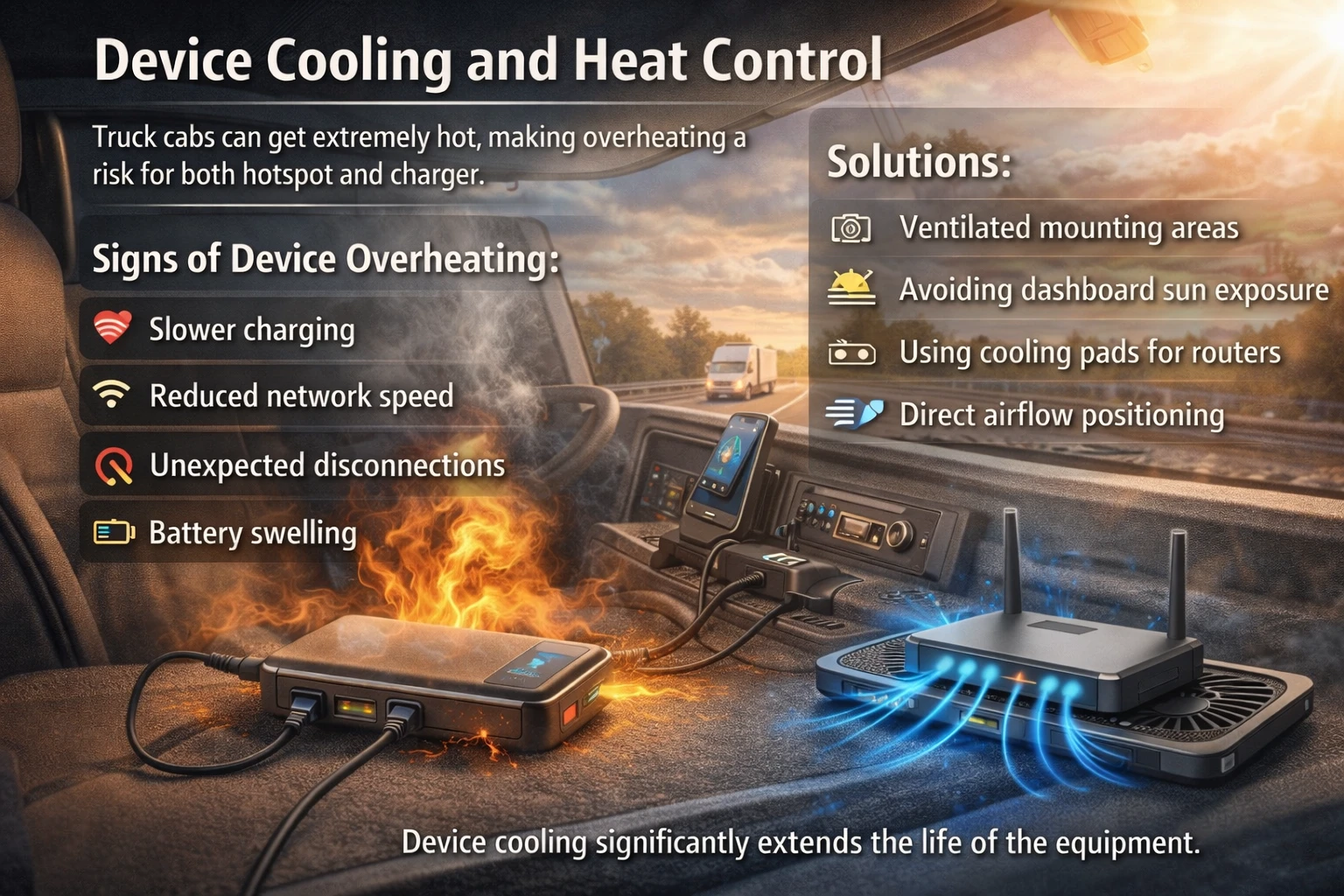
Truck cabs can quickly get hot especially during summertime or by being parked in sunlight. Overheating is bad for both the hotspot and charger. Proper device cooling prevents thermal throttling, extends equipment lifespan, and maintains stable network performance during long-haul operations.
Signs of device overheating:
- Slower charging
- Reduced network speed
- Unexpected disconnections
- Battery swelling
Solutions include:
- Ventilated mounting areas
- Avoiding dashboard sun exposure
- Using cooling pads for routers
- Direct airflow positioning
Device cooling significantly extends the life of the equipment.
Creating a Functional Connectivity Kit
The ideal connectivity kit for truckers can include those:
- Reinforced phone mount
- Multi-port fast charger
- Durable USB-C cables
- 20,000mAh+ power bank
- Dedicated hotspot device
- External antenna
- Basic surge protection
This is enough to cover the long-haul essentials and it is not complicated at all.
Durability over the Looks
Electronics for consumers are made for the casual travel market and cannot withstand the conditions of a truck; hence, consumer devices are not durable. Vibration resistance, temperature, and mount strength are more important than the clean design of consumer devices.
Look for:
- Metal reinforcement
- The plastic is industrial grade
- Heat-resistant components
- Locking mechanisms that are secure
Long-haul durability pays back in savings.
Surge Protection and Electrical Safety
The electrical system in a truck is different from that in a passenger car. Voltage spikes can happen when the engine is started or during other power fluctuations.According to established electrical protection standards, surge protectors are specifically designed to limit voltage spikes and prevent damage to connected electronic equipment.
https://en.wikipedia.org/wiki/Surge_protector
Using surge protection prevents:
- Charger burnout
- Router damage
- Data corruption
- Unexpected shutdowns
Surge-protected adapters are small investments that protect larger equipment costs.
Multi-Device Setup for Modern Truck Cabs
Today’s cabs often come with:
- Smartphone
- Tablet
- ELD device
- Laptop
- Hotspot or router
- Possibly streaming device
Proper power allocation prevents overload. Chargers with intelligent current distribution optimize charging across devices.
Minimalist vs. Fully Equipped Setup
Not every driver needs a complex configuration. The right setup depends on route type.
Minimalist Setup
- Strong phone mount
- Fast charger
- One durable cable
- Small power bank
Advanced Setup
- In-cab router
- Dual SIM hotspot device
- External antenna
- Surge-protected power hub
- Cable management system
If you’re deciding between a basic setup and a fully equipped connectivity system, you can see the full comparison to understand which configuration fits your long-haul needs best. The aim is balance, not clutter.
Common Gear Mistakes
- Purchasing the cheapest charger
- Ignoring the cable’s durability
- Overusing inverters
- Mounting devices in direct sunlight
- Skipping surge protection
Small mistakes accumulate over months of driving.
Travel Gear for Truckers: Long-Term Value
Dependable travel gear for truckers is not only for comfort but also for the protection of production and life. When navigation freezes, communication drops, or devices overheat, the ripple effects extend to delivery schedules and stress levels.
A connectivity kit that is well organized:
- Reduces downtime
- Maintains steady communication
- Supports work-life balance
- Protects equipment
- Simplifies troubleshooting
Final Thoughts: Stability Is Built, Not Bought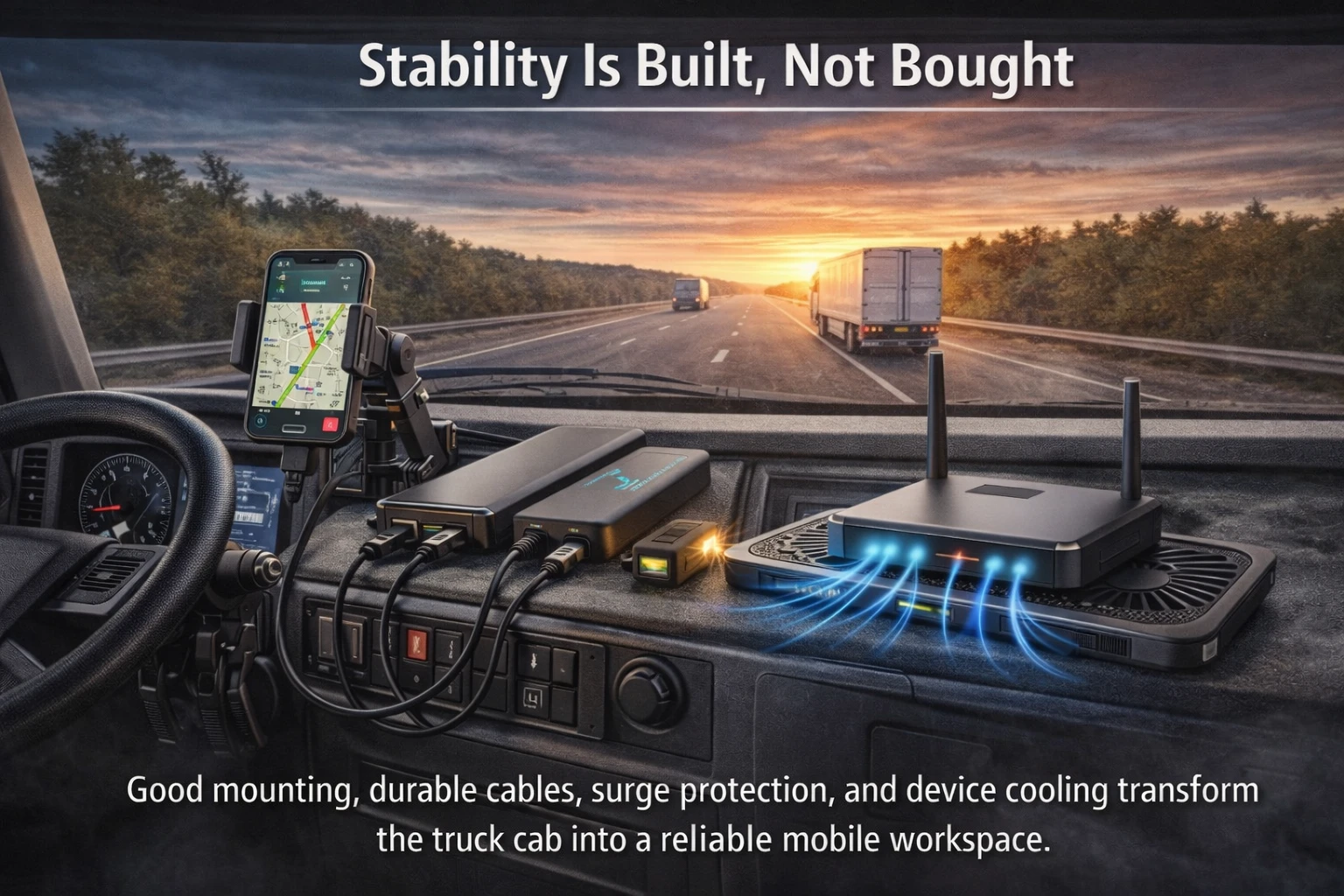
Inside the truck cab, the connection to the world is more than just field coverage. This relies not on tripods, fast chargers that don’t overheat, USB-C cables that don’t break, and devices that don’t throttle under load. Smart gear selection, good cable management, the use of surge protection, and cooling of devices are the things that change a truck cab from being a mobile workspace into a reliable and robust one. In long-haul trucking stability is achieved by preparation. Right travel gear is what will turn desire connectivity into a normal operation system.
FAQ
What is the most critical piece of travel gear for truck drivers who depend on connectivity every day?
A solid setup is built on the rugged phone mount, a fast charger with good quality, and a long-lasting USB-C cable. These are the three items that avert all other failures like device drops, slow charging, and connector damage. Over the course of long-distance trucking, one can connect a dedicated a hotspot device or a mini-router inside the truck significantly improves the network stability compared to phone tethering. A thoughtfully arranged connectivity kit will not only cut downtime but also protect a trucker’s work and communication with family.
Is it better for a hotspot device than using a smartphone to access the internet?
In most situations of long-haul trucking, the answer is yes. As a standalone hotspot device or a router takes care of the signal management more effectively, it also saves battery drain of the phone. It also gives access to multiple devices concurrently without affecting performance. Drivers who often cross state borders find it more beneficial to have a dual-SIM setting for that gives better and more stable connectivity.
What is the importance of device cooling inside a truck cab?
During summertime, the temperature in a truck’s cabin can increase rapidly, particularly when the truck is idling for a long time. The overheating can provoke network throttling, battery decay, and even unplanned shutdown scenarios. Good device cooling practices like ventilated mounting, airflow positioning, or cooling pads bring in better quality equipment and help maintain stable performance.
Is it really necessary to use surge protection in a truck?
Definitely yes. Due to the fact that truck electrical systems tend to fluctuate in voltage a lot just due to the engine starts, surge protection is imperative. Surge protection which can protect chargers, routers, and other electronics from damage, thus relieves the company of tedious replacement and data loss issues.
What is the best way to avoid cable clutter and prevent devices from being damaged?
The most important part is effective cable management. Make use of the reinforced braided cables, minimize the length of runs, tie them up with Velcro straps or clips, and never route them near a heat source. A tidy cab is the first step towards safety; secondly, it will reduce wear and tear, and thirdly, it will make troubleshooting easier in the long run.
